Authored by Ariel Fernandez (Senior Factory-Trained Fuji Frontier & Noritsu QSS Engineer, AVA-Tech) • Peer-Reviewed by AVA-Tech Bench Engineering Team (4700 N 5th Street Hwy, Temple, PA 19560).
6005-0001, E-2201, MAG-ID-ERR
Solving Magazine ID recognition errors, edge fogging from worn velvet light traps, and roll telescope skew inside Noritsu and Fuji paper magazines.
1. Commercial Photo Lab Field Case Study (Noritsu QSS-32/35/37/38 & Fuji Frontier LP Series)
A portrait lab had three 8-inch Noritsu paper magazines that intermittently threw 'Magazine ID Error' or produced 2 mm black fog lines along the right edge of prints. Our technician replaced the worn velvet light-trap plush strips at the magazine mouth, cleaned the binary reflective/contact ID pins on the magazine baseplate, and locked the movable paper core flange.
In commercial wet-lab and film processing environments, seemingly minor drift in optical modulation, replenishment volume, temperature control, or roller nip geometry rapidly compounds across hundreds of rolls and thousands of RA-4 prints. At AVA-Tech in Temple, Pennsylvania, our factory-trained engineers diagnose these root causes daily using OEM service software, calibrated sensitometry, and component-level circuit diagnostics rather than guesswork.
2. OEM Engineering Specifications & Diagnostic Thresholds
Before replacing sub-assemblies or adjusting lookup tables on Noritsu QSS-32/35/37/38 & Fuji Frontier LP Series, verify all parameters against the following factory engineering tolerances:
| Subsystem / Parameter | Factory Engineering Specification & Tolerance |
|---|---|
| Paper Core Sizes | 3-inch (76 mm) standard RA-4 core |
| Max Roll Length | 575 ft (175 m) to 902 ft (275 m) depending on magazine model |
| Magazine Identification | Optical binary code plate or contact pin matrix |
| Light Trap Material | High-density black anti-static velvet plush seal |
3. Step-by-Step Factory Diagnostic & Calibration Procedure
Follow this field-validated sequence to isolate and resolve the issue safely:
- Step 1: Inspect the black velvet light-trap strips at the magazine exit slot every time you load a fresh roll of paper; replace compressed or chemical-stained plush immediately.
- Step 2: Clean the binary optical ID window or brass contact pins on the bottom of the magazine so the printer recognizes paper width and surface automatically.
- Step 3: Always press the paper flange firmly against the roll edge until the locking pawl clicks—a loose flange lets the roll telescope and skew every print.
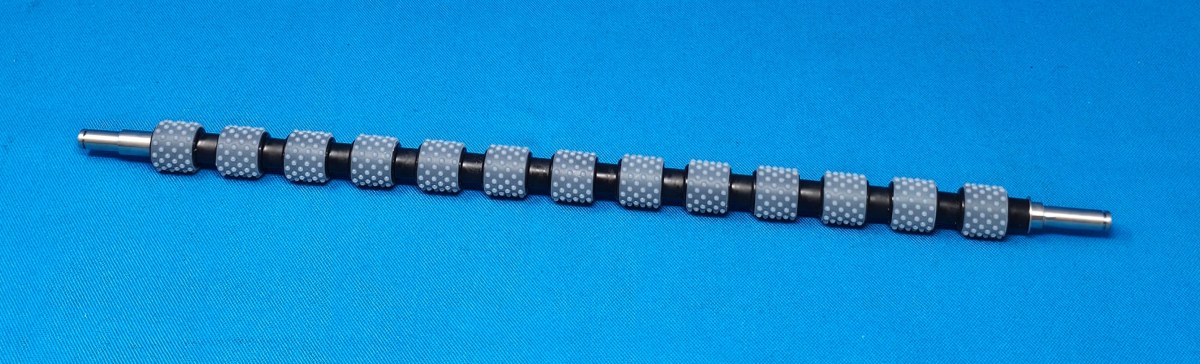
- Step 4: Clean the internal magazine feed roller with rubber restorer every 10 rolls to prevent first-print feed timeouts.
Need Immediate Remote Diagnostics, Loaner PCBs, or OEM Parts?
AVA-Tech stocks 226+ core indexed Fuji Frontier and Noritsu QSS assemblies (plus thousands of component SKUs) in our Temple, PA warehouse. Unsure of a part number? Upload a photo to our free AI Parts Identifier, browse the OEM Parts Catalog, or enroll in an Enhanced Support Plan for live remote sessions and loaner PCB privileges.
4. Frequently Asked Questions (Technician & Lab Manager FAQ)
What causes a dark black or orange band along only one edge of prints?
Light leaking past a worn velvet plush seal at the magazine mouth or a cracked magazine lid latch fogs the outer edge of the paper roll.
Can I convert an unused 5-inch magazine to 6-inch or 8-inch width?
Yes—most Noritsu and Fuji magazines can be re-spaced to another standard width by moving the internal width spacers and updating the magazine ID code plate.
Does AVA-Tech sell tested extra paper magazines for Fuji and Noritsu?
Yes—we stock extra paper magazines in all standard widths (4", 5", 6", 8", 10", 11", 12").
5. Related Topical Cluster Guides in Noritsu QSS Minilabs
- Noritsu QSS-3704 HD & QSS-3801G Calibration Guide: Built-in Colorimeter, Laser Beam Pitch & Paper Magazine Profiling (Noritsu QSS Minilabs • 2026-09-27)
- Noritsu QSS-3501 & QSS-3701 Paper Advance Unit Repair: Curing Double-Feeds, Skewed Borders & Error 6016 / 6022 (Noritsu QSS Minilabs • 2026-08-26)
- Fixing Faint or Missing Backprint Text on Noritsu QSS & Fuji Frontier Printers: Ribbon Advance, Solenoid & Pin Cleaning (Noritsu QSS Minilabs • 2026-07-28)
About the Author & AVA-Tech Engineering Team (E-E-A-T)
Ariel Fernandez is Lead Factory-Trained Systems Engineer at AVA-Tech in Temple, Pennsylvania. With decades of hands-on field and bench experience servicing Fuji Frontier wet/dry minilabs, Noritsu QSS systems, C-41/E-6 film processors, and SP-3000/HS-1800 film scanners, AVA-Tech supports commercial, school, wedding, and independent film labs across all 50 states.
More Guides in Noritsu QSS Minilabs
Noritsu QSS-3701 / 3702 / 3704 HD AOM Driver Failure: Diagnosing Cyan/Magenta Color Shifts & Error 6073
How factory-trained technicians diagnose Acousto-Optic Modulator (AOM) crystal degradation vs. RF driver drift on Noritsu QSS-37 series wet minilabs when morning emulsion change tests fail.
Noritsu QSS-3202 & QSS-3501/3502 ARCNET Communication Errors: Optical Fiber, Image Processing PCB & Power Supply Fixes
Eliminating intermittent Error 6901 ARCNET network drops between the workstation PC, Image Processing PCB, Printer Control PCB, and Processor Control PCB on Noritsu QSS wet labs.
Noritsu QSS-3704 HD & QSS-3801G Calibration Guide: Built-in Colorimeter, Laser Beam Pitch & Paper Magazine Profiling
Mastering 600 DPI high-definition laser beam pitch alignment, white calibration plate care, and ICC paper profiling on Noritsu QSS-3704 HD and QSS-3801G minilabs.