Authored by Ariel Fernandez (Senior Factory-Trained Fuji Frontier & Noritsu QSS Engineer, AVA-Tech) • Peer-Reviewed by AVA-Tech Bench Engineering Team (4700 N 5th Street Hwy, Temple, PA 19560).
Keeping order numbers, filename metadata, and color-correction backprint strings sharp and legible for studio sorting and wedding album assembly.
1. Commercial Photo Lab Field Case Study (Noritsu QSS-32/35/37 & Fuji Frontier LP Series)
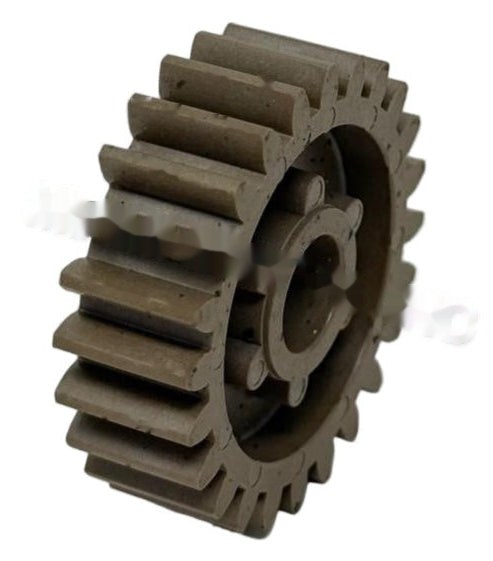
A wedding lab relies on backprint filenames to sequence 400-page proof boxes, but their Noritsu QSS-3702 began printing only the top half of characters. Inspecting the dot-matrix backprinter head revealed dried ribbon ink and paper dust packing the lower 4 impact needles, plus a slipping ribbon take-up ratchet gear. Ultrasonic cleaning of the 9-pin impact head nose and installing a fresh OEM ribbon cassette restored crisp backprint text.
In commercial wet-lab and film processing environments, seemingly minor drift in optical modulation, replenishment volume, temperature control, or roller nip geometry rapidly compounds across hundreds of rolls and thousands of RA-4 prints. At AVA-Tech in Temple, Pennsylvania, our factory-trained engineers diagnose these root causes daily using OEM service software, calibrated sensitometry, and component-level circuit diagnostics rather than guesswork.
2. OEM Engineering Specifications & Diagnostic Thresholds
Before replacing sub-assemblies or adjusting lookup tables on Noritsu QSS-32/35/37 & Fuji Frontier LP Series, verify all parameters against the following factory engineering tolerances:
| Subsystem / Parameter | Factory Engineering Specification & Tolerance |
|---|---|
| Backprint Format | 1-line or 2-line 40-character ASCII metadata + CVP correction codes |
| Impact Head Type | High-speed 7-pin / 9-pin solenoid dot-matrix impact head |
| Ribbon Cassette Spec | Endless Mobius loop nylon fabric ribbon (black ink) |
| Head-to-Platen Gap | 0.35–0.45 mm calibrated for standard RA-4 paper thickness |
3. Step-by-Step Factory Diagnostic & Calibration Procedure
Follow this field-validated sequence to isolate and resolve the issue safely:
- Step 1: Remove the backprinter ribbon cassette and check that the exposed ribbon is taut and advances smoothly when turning the knurled drive wheel.
- Step 2: Unclip the dot-matrix impact head and soak just the 3 mm pin-guide tip in isopropyl alcohol for 5 minutes to dissolve caked ink and paper sizing.
- Step 3: In Service Mode -> Output Check, fire the backprinter test pattern and verify all 7 or 9 pins strike with equal force.
- Step 4: Replace backprinter ribbons every 30,000–50,000 prints rather than waiting for the fabric to shred and jam the pins.
Need Immediate Remote Diagnostics, Loaner PCBs, or OEM Parts?
AVA-Tech stocks 226+ core indexed Fuji Frontier and Noritsu QSS assemblies (plus thousands of component SKUs) in our Temple, PA warehouse. Unsure of a part number? Upload a photo to our free AI Parts Identifier, browse the OEM Parts Catalog, or enroll in an Enhanced Support Plan for live remote sessions and loaner PCB privileges.
4. Frequently Asked Questions (Technician & Lab Manager FAQ)
Why does a worn backprinter ribbon end up breaking the impact head?
Once the nylon ribbon frays, a firing needle catches in a torn thread and bends when the paper accelerates past the head.
Can we customize what information prints on the back of each photo?
Yes—both Noritsu EZ Controller and Fuji MS01 allow full customization of date, order ID, frame number, filename, and exposure correction codes (N/N/N/N).
What do the letters 'N N N +1' on the back of a minilab print mean?
They indicate the Cyan, Magenta, Yellow, and Density corrections applied to that frame relative to normal (0/N) slope.
5. Related Topical Cluster Guides in Noritsu QSS Minilabs
- Noritsu QSS & Fuji Frontier Paper Magazine Troubleshooting: RFID/ID Sensors, Light Traps, Flange Guides & Feed Nip Rollers (Noritsu QSS Minilabs • 2026-07-08)
- Noritsu QSS Colorimeter & Densitometer Calibration Error 5510 / 6088: White Tile Care, Lamp Aging & Sensor Alignment (Noritsu QSS Minilabs • 2026-06-06)
- Noritsu QSS-3701 / 3702 / 3704 HD AOM Driver Failure: Diagnosing Cyan/Magenta Color Shifts & Error 6073 (Noritsu QSS Minilabs • 2026-10-29)
About the Author & AVA-Tech Engineering Team (E-E-A-T)
Ariel Fernandez is Lead Factory-Trained Systems Engineer at AVA-Tech in Temple, Pennsylvania. With decades of hands-on field and bench experience servicing Fuji Frontier wet/dry minilabs, Noritsu QSS systems, C-41/E-6 film processors, and SP-3000/HS-1800 film scanners, AVA-Tech supports commercial, school, wedding, and independent film labs across all 50 states.
More Guides in Noritsu QSS Minilabs
Noritsu QSS-3701 / 3702 / 3704 HD AOM Driver Failure: Diagnosing Cyan/Magenta Color Shifts & Error 6073
How factory-trained technicians diagnose Acousto-Optic Modulator (AOM) crystal degradation vs. RF driver drift on Noritsu QSS-37 series wet minilabs when morning emulsion change tests fail.
Noritsu QSS-3202 & QSS-3501/3502 ARCNET Communication Errors: Optical Fiber, Image Processing PCB & Power Supply Fixes
Eliminating intermittent Error 6901 ARCNET network drops between the workstation PC, Image Processing PCB, Printer Control PCB, and Processor Control PCB on Noritsu QSS wet labs.
Noritsu QSS-3704 HD & QSS-3801G Calibration Guide: Built-in Colorimeter, Laser Beam Pitch & Paper Magazine Profiling
Mastering 600 DPI high-definition laser beam pitch alignment, white calibration plate care, and ICC paper profiling on Noritsu QSS-3704 HD and QSS-3801G minilabs.