Authored by Ariel Fernandez (Senior Factory-Trained Fuji Frontier & Noritsu QSS Engineer, AVA-Tech) • Peer-Reviewed by AVA-Tech Bench Engineering Team (4700 N 5th Street Hwy, Temple, PA 19560).
E-2630, E-2632, W-2635
How to cure dryer entrance jams, emulsion glaze marks, and E-2630 dryer heater circuit cutouts on Fuji Frontier wet minilabs.
1. Commercial Photo Lab Field Case Study (Fuji Frontier LP5000 / LP5500R / LP5700R)
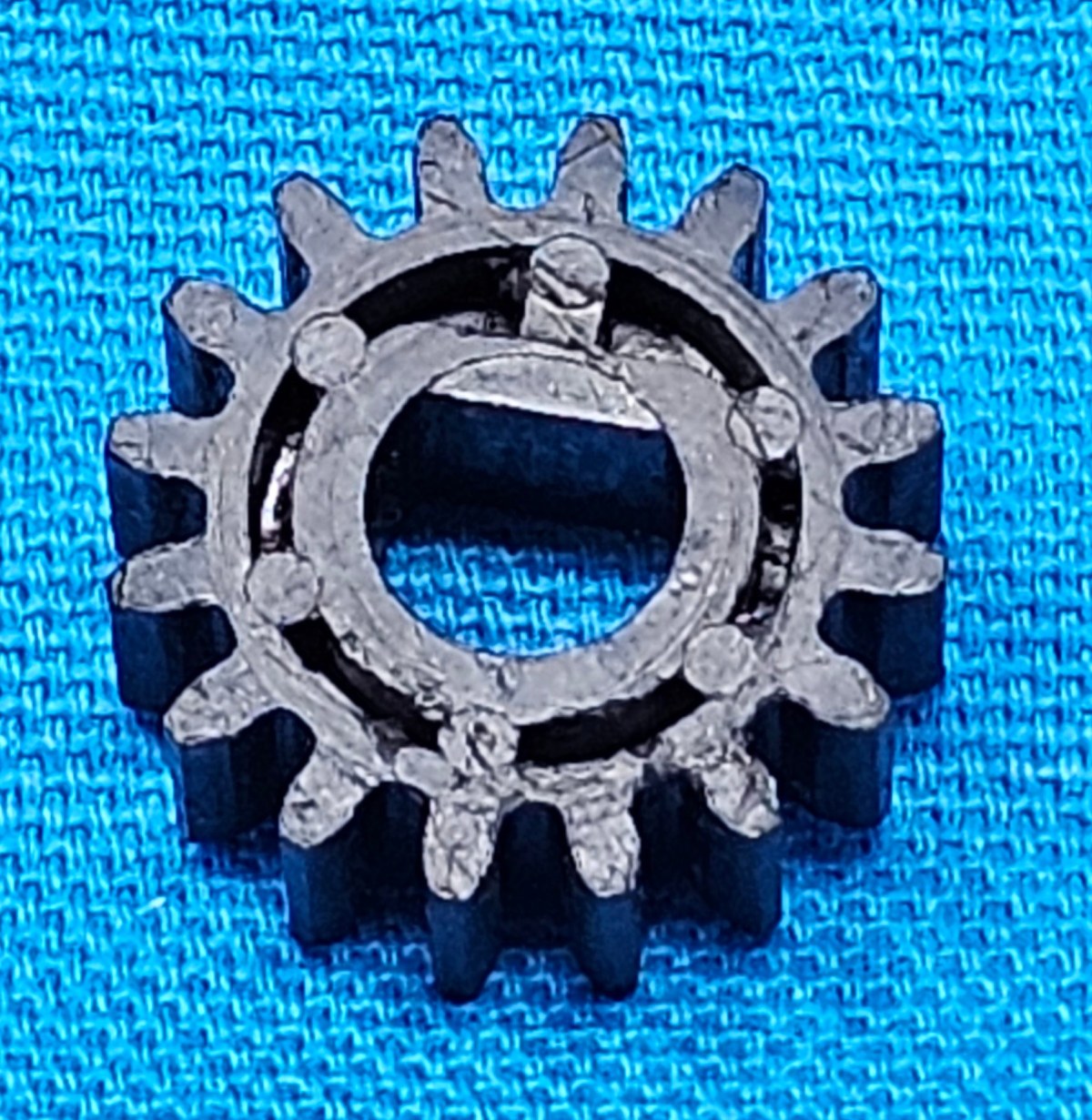
A high-volume school lab's Fuji Frontier LP5700R began indenting faint horizontal pressure marks onto 8×10 glossy prints and intermittently tripping Error E-2630 (Dryer Temperature Low). Our field technician found the dryer air intake mesh clogged with paper lint—starving airflow across the PTC ceramic heater element and tripping its thermal cutout—and hardened chemical glaze on the first two dryer entrance transport rollers. Cleaning the blower duct, resetting the thermal cutout, and replacing the entrance rollers (327D1061698 / 327F0175C) eliminated both the marks and the error.
In commercial wet-lab and film processing environments, seemingly minor drift in optical modulation, replenishment volume, temperature control, or roller nip geometry rapidly compounds across hundreds of rolls and thousands of RA-4 prints. At AVA-Tech in Temple, Pennsylvania, our factory-trained engineers diagnose these root causes daily using OEM service software, calibrated sensitometry, and component-level circuit diagnostics rather than guesswork.
2. OEM Engineering Specifications & Diagnostic Thresholds
Before replacing sub-assemblies or adjusting lookup tables on Fuji Frontier LP5000 / LP5500R / LP5700R, verify all parameters against the following factory engineering tolerances:
| Subsystem / Parameter | Factory Engineering Specification & Tolerance |
|---|---|
| Standard Dryer Temperature | 65°C–78°C automatically modulated by paper width and type |
| Dryer Intake Filter Maintenance | Vacuum weekly; wash and dry completely every 2 weeks |
| Dryer Belt / Roller Mesh | Teflon-coated fiberglass mesh & silicone nip rollers |
| Print Exit Curl Target | Flat within ±3 mm bow on 8×10 sheet at 50% RH |
3. Step-by-Step Factory Diagnostic & Calibration Procedure
Follow this field-validated sequence to isolate and resolve the issue safely:
- Step 1: Pull the dryer air intake filter screen weekly and vacuum away accumulated paper fibers; restricted airflow is the #1 cause of E-2630 thermal trips.
- Step 2: Open the dryer clamshell rack when cool and wipe all silicone and phenolic transport rollers with a damp microfiber cloth to remove PS4 stabilizer residue.
- Step 3: Inspect the dryer belt tracking and spring tensioners (327S1124803) for fraying or lateral walk.
- Step 4: If prints exit with excessive upward curl, lower the dryer temperature offset by 3°C–5°C in Menu 0630 and verify PS4 exit squeegee rollers are dry.
Need Immediate Remote Diagnostics, Loaner PCBs, or OEM Parts?
AVA-Tech stocks 226+ core indexed Fuji Frontier and Noritsu QSS assemblies (plus thousands of component SKUs) in our Temple, PA warehouse. Unsure of a part number? Upload a photo to our free AI Parts Identifier, browse the OEM Parts Catalog, or enroll in an Enhanced Support Plan for live remote sessions and loaner PCB privileges.
4. Frequently Asked Questions (Technician & Lab Manager FAQ)
What causes Error E-2630 on a Fuji Frontier?
E-2630 indicates the dryer air temperature failed to reach or maintain its target range, usually due to a clogged blower filter tripping the over-temperature safety thermostat, a failed SSR, or an open heater coil.
Why do glossy prints sometimes show tiny glossy/matte speckle marks out of the dryer?
Water droplets escaping worn PS4 exit squeegee rollers boil on the hot dryer entrance rollers, leaving water-spot speckles on the emulsion.
Where can I order genuine Fuji dryer rollers and springs?
Order directly from AVA-Tech's Parts Catalog (/parts) or use our AI Parts Identifier (/parts/identify).
5. Related Topical Cluster Guides in Fuji Frontier Systems
- Upgrading Fuji Frontier SP-3000, LP5700 & LP7700 Lab Workstations to Windows 10 / 11 with MS01 Software (Fuji Frontier Systems • 2026-07-31)
- Fuji Frontier LP7500 & LP7700 Chemical Heater & Thermistor Diagnostics: Fixing P1/P2/PS Temperature Alarms (Fuji Frontier Systems • 2026-06-13)
- Configuring Fujifilm Image Intelligence & Pro Bypass LUTs on Frontier LP5700R & LP7700 (MS01 Software Guide) (Fuji Frontier Systems • 2026-05-25)
About the Author & AVA-Tech Engineering Team (E-E-A-T)
Ariel Fernandez is Lead Factory-Trained Systems Engineer at AVA-Tech in Temple, Pennsylvania. With decades of hands-on field and bench experience servicing Fuji Frontier wet/dry minilabs, Noritsu QSS systems, C-41/E-6 film processors, and SP-3000/HS-1800 film scanners, AVA-Tech supports commercial, school, wedding, and independent film labs across all 50 states.
More Guides in Fuji Frontier Systems
Fuji Frontier 570 / LP5700R Error E-2529 & E-2510: LDD20 PCB & G/B SHG Laser Optical Section Diagnostics
Complete engineering guide to isolating LDD20 Laser Diode Driver PCB faults from Second Harmonic Generation (SHG) laser module degradation on Fuji Frontier 550/570 and LP5700R wet minilabs.
Fuji Frontier LP7500 / LP7700 / LP7900 Processor Rack Rebuild: Preventing RA-4 Crystallization & Paper Jams
Deep-dive maintenance protocol for P1, P2, and PS1–PS4 processing racks, drive gears, and crossover squeegees on Fuji Frontier LP7000-series wet minilabs.
Upgrading Fuji Frontier SP-3000, LP5700 & LP7700 Lab Workstations to Windows 10 / 11 with MS01 Software
Modernizing legacy Windows 2000/XP Fuji Frontier DIC/FMPC control computers to reliable Windows 10/11 Pro hardware running Fujifilm MS01.